
Assign a Reward to a Tier
When a Member successfully attains a new Tier, you can optionally grant them a Reward. This Reward must already be created and published within your Loyalty account.
To assign a Reward to a Tier:
-
Select Rules from the top navigation bar, then select Tier Schemes from the side navigation menu. The Tier Schemes screen is displayed.
-
Search for and select the desired Tier Scheme (see
-
In the Rewards column of the desired Tier, click the Edit icon. The Edit Tier pop-up window is displayed.
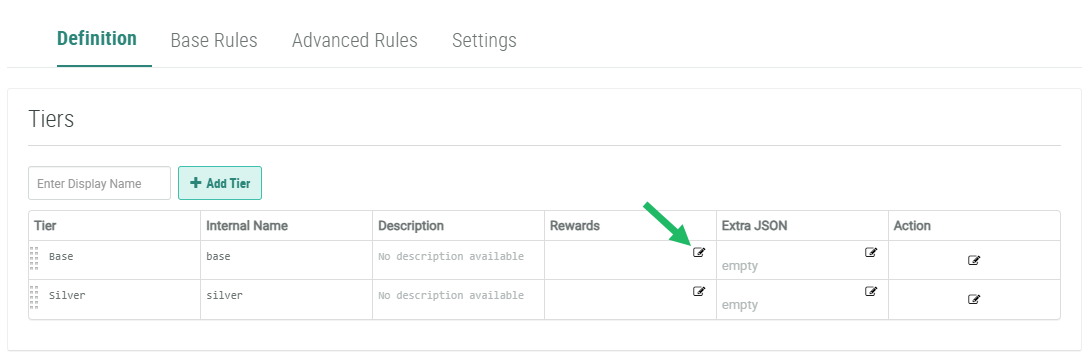
-
From the Rewards drop-down menu, select the Reward to grant the Member upon attaining this Tier.
-
Click Save. The Reward name is displayed within the Rewards column. Optionally, click the Reward's name to navigate to the Reward Details screen.
-
Repeat the above steps as needed to assign Rewards to other Tiers in this Tier Scheme.
